 Tobi Macro














Every macro's first press leaves inside your own keystroke, measured in the app with its own rig. What the game does with a press is its frame time, not ours.
15 tools in one12 macros · FPS · Ping · Controller · Arena
Edit first.Win the box.
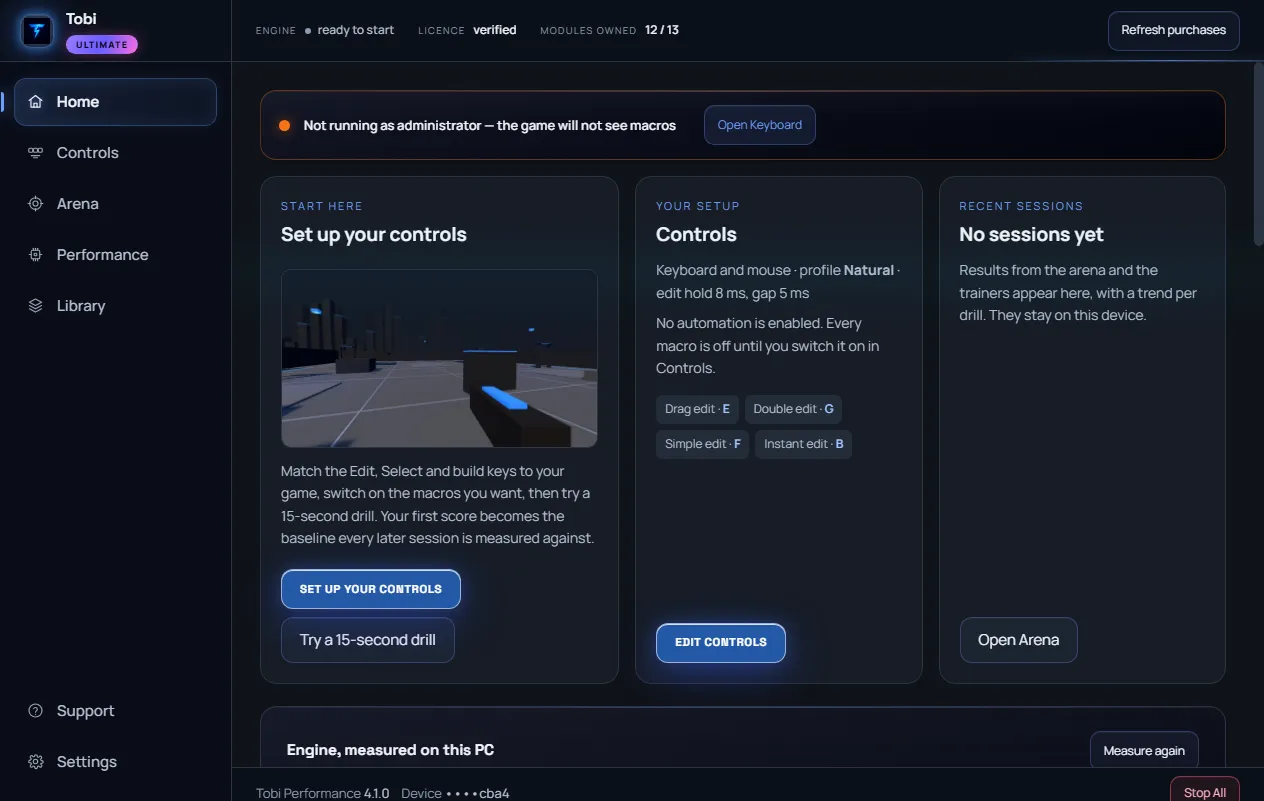
Twelve edit and build macros whose first press leaves inside your own keystroke, a training arena with five drills, FPS and ping tools that show every change and put it back, and a controller mode that keeps aim assist on. One key, one download, one price.
One-time · key emailed instantly · 30-day money back
0.25 msKey to first press, measured in-app
5Training drills in Tobi Arena
30 daysMoney back, no reason needed
Live app · inside Tobi Macro
★★★★★VERIFIED
“Controller macro, best one on the market right now.”
Play it first
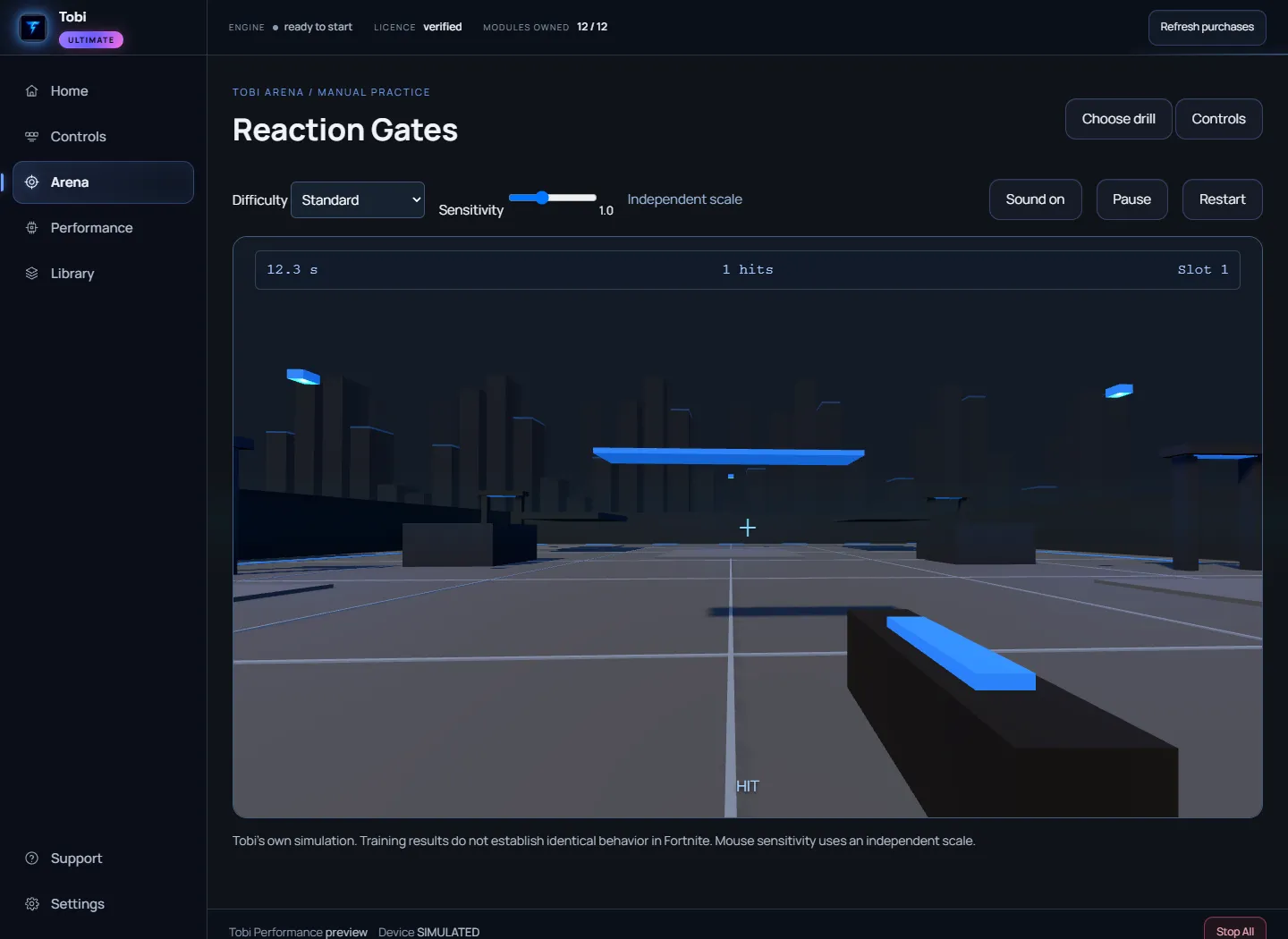
Reaction Gates,
fifteen seconds.
One of the five drills inside Tobi Arena, scored with the app's own formula. Nothing starts until you press Start.
Loading the drill…
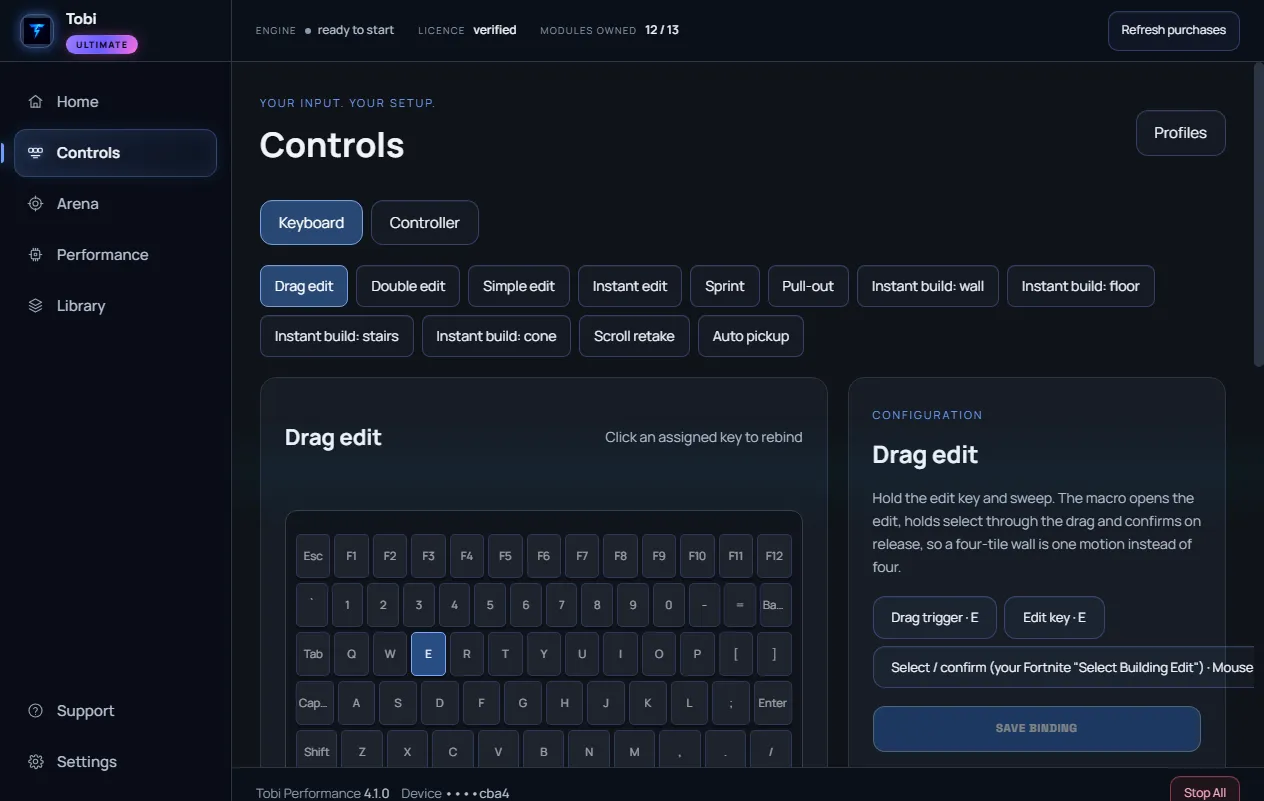
Simulation of the Controls screen
Pick a macro.
Watch the sequence.
Tap an assigned key and see exactly what the engine sends: press, hold, release, delay. Change the timing profile and the sequence updates. This is a simulation; the app measures its own execution.
Loading the controls preview…
Compatible with 100+ games
Fortnite is what we are known for. The tweak lineup tunes the whole PC, so every game you play gets the same treatment.
Each tweak lists its current value, its target and why. It is written to a journal on your PC and Restore puts it back. No number we cannot show you.
Real setups, tuned by hand, with someone reading your ticket when something on your PC is unusual.
Featured drops
Tweaks built
for pros.
Pick the pack that matches your platform and competitive style. One-time payment, sent right after Stripe checkout, 30-day money back.
★ Our flagship15 tools
Live app · ControlsQEVRBTobi Macro
15 tools in one licence: twelve keyboard macros, the FPS booster, Ping Sync, controller mode with aim assist on, and Tobi Arena to train with.
- 4 edit macros, 5 build macros, 3 utility macros
- Tobi Arena: five training drills with saved results
- FPS Booster, Ping Sync, Controller Mode and Aim Tweak
- Lifetime updates, delivered in the app
VISA●●AMEX PayG PayCash App Secured by Stripe
McAfeeSECURESectigoSSLDigiCertSSL
30-Day Money-Back Guarantee
One-time purchase · 30-day money back · Instant key delivery
★ Best valueNEW · 7 apps
Live app · PerformanceTobi · Zero Delay · ZD Plus · FPS Boost · Ping · GPU · CPUUltimate Bundle
Every flagship tweak we make, in one drop. All 7 apps: top-end FPS, the lowest input delay, lower ping, and a PC that runs like butter under any load.
- All 7 tweak apps included
- 32 verified changes, each shown with its current value and a Restore
- Priority support and updates
- Updates delivered in the app
VISA●●AMEX PayG PayCash App Secured by Stripe
McAfeeSECURESectigoSSLDigiCertSSL
30-Day Money-Back Guarantee
One-time purchase · 30-day money back · Sent right after checkout
Full lineup
Every app, one-time.
★ Best comboNEW
Pro Aim & Mechanics Bundle
The complete competitive Fortnite kit: Bloom Reducer for range, Shotgun Pack for duels, and the full Tobi Macro engine for surgical build edits.
What's included- Bloom Reducer and Shotgun Pack
- The Tobi Macro engine — keyboard and controller
- Drag, double, sprint edit, instant build, prefire
- Humanized timing profiles
$29.99$39.9925% OFF
★ Best selling
Premium Tweak
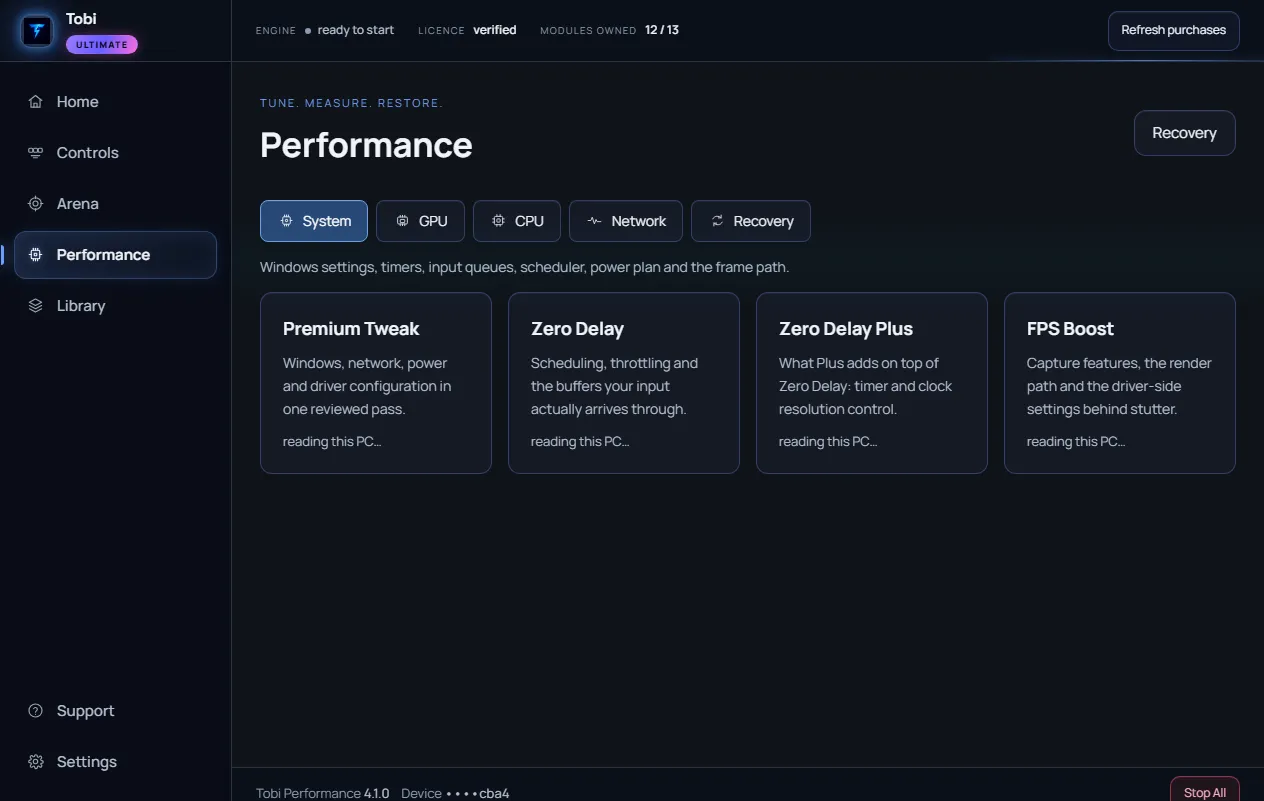
Windows, network, power and driver settings in one reviewed pass. Every change shows its current value, its target and why, and Restore puts it back.
What's included- Best Windows settings and registry
- Best network and latency optimisation
- Custom power plan and power settings
- NVIDIA and Radeon GPU tweaks
$24.99$33.3225% OFF
★ Aim bundleNEW
New World Aim Bundle
Both aim apps in one. Shotgun Pack for close-range duel timing, Bloom Reducer for long-range precision and shot grouping.
What's included- Shotgun Pack included
- Bloom Reducer included
- Close-range and long-range coverage
- Built-in duel and precision trainers
$14.99$19.9925% OFF
AimNEW
Bloom Reducer
Long-range precision pack. Locks your GPU clocks and steadies frame pacing so the shot you take at minute twenty behaves like the one at minute one, plus a precision trainer that tracks your grouping over time.
What's included- GPU clock lock for steady frame times
- Frame-pacing measurement (how evenly frames arrive)
- Precision trainer with saved history
- Fortnite sensitivity converter (eDPI, cm/360)
$9.99$13.3225% OFF
AimNEW
Shotgun Pack
Close-range duel pack. Measures your click-to-click floor on your own mouse, locks the GPU clock so frame times stay steady, and trains the first two shots.
What's included- Click-to-click floor measured on your hardware
- GPU clock lock and frame-pacing measurement
- Shotgun duel trainer (5 scenarios)
- Reset trainer (5 scenarios)
$9.99$13.3225% OFF
AppNEW
GPU Tweaks
Standalone GPU optimisation. Switches off the compositor path behind stutter and flicker, gives the shader cache room on NVIDIA cards, and reaches the driver settings the control panel hides.
What's included- Multiplane overlay off (the stutter and flicker path)
- Shader cache room on NVIDIA cards
- NVIDIA Profile Inspector for pre-rendered frames and low-latency mode
- Every change verified against Windows, with one-click restore
$14.99$19.9925% OFF
AppNEW
CPU Tweaks
Standalone CPU optimisation. Keeps every core awake, holds the processor at full clock while plugged in, stops power throttling and USB port sleep, and switches to the Ultimate Performance plan.
What's included- Core parking off, on mains and battery
- Full processor clock while plugged in
- Power throttling and USB selective suspend off
- Ultimate Performance plan created and activated
$14.99$19.9925% OFF
Latency
Zero Delay
Shorten the path from hand to screen. Deeper mouse and keyboard input queues, network throttling off, the scheduler set to favour the game, and the least CPU Windows will keep back for background work.
What's included- Mouse and keyboard input queues doubled
- Network throttling off
- Games scheduler profile raised and foreground favoured
- Background CPU reservation set to the minimum Windows allows
$9.99$13.3225% OFF
Advanced
Zero Delay Plus
What Plus adds on top of Zero Delay: the timer and clock settings Windows boots with, so frame pacing stays steady over a long session. A System Restore point is taken before any boot setting changes.
What's included- Dynamic tick off (steady timer interrupts)
- One clock source across all cores
- Forced HPET removed so Windows picks the clock
- Timer resolution measured, not assumed
$14.99$19.9925% OFF
FPS
FPS Boost
Every frame the hardware can hold. Background recording and the Game Bar switched off, exclusive fullscreen restored, hardware GPU scheduling on, and the GPU changes from GPU Tweaks included.
What's included- Game DVR, Game Bar and background recording off
- Exclusive fullscreen restored (Fullscreen Optimisations off)
- Hardware-accelerated GPU scheduling on
- GPU Tweaks included (multiplane overlay off, shader cache room)
$9.99$13.3225% OFF
Network
Ping Tweak
Steady beats low. Small packets sent at once on every adapter, Windows stopped from uploading updates over your line mid-match, TCP set for low latency, and your ping and jitter measured rather than promised.
What's included- Nagle off on every adapter with an address
- Update sharing (Delivery Optimization) upload stopped
- TCP set for low latency
- Ping and jitter measured; the fastest DNS resolver timed from your connection
$14.99$19.9925% OFF
Testimonials
Trusted by
competitive players.
1 keyEvery app, one activation
30 daysMoney back
InstantKey by email
Discord+ ticket support
“Controller macro, best one on the market right now.”
“Cleanest macro I've run. Setup took two minutes and it just works every single time.”
“Ping went from 37-40 down to 25. Xbox tweak helped me a lot.”
“Support answered my ticket in minutes and sorted my licence the same day.”
“Been on it for weeks with zero issues. The controller bindings are spot on.”
“Switched over from a free script and the difference is night and day. Worth every cent.”
“Timing feels impossible to beat. My edits are cleaner than they have ever been.”
“Zero delay when editing and my lag spike just stopped. Helped so much.”
“10/10 would recommend. Fast, reliable, and the profiles actually save my setups.”
“W customer service and he helped me a lot cause this is my first time using a macro.”
“The macro is extremely fast and helped me amazingly. Definitely buying from them again.”
“I've tried everything else and nothing performed as good as this. Seriously, W.”
“Insane fast response and great service for keyboard macro.”
“Best support, helped me with my controller macro.”
“W on Xbox Series X, helps a lot and no delay. Thank you so much.”
“Quick support, zero delay.”
“Made me fast and reduced my ping. Best out there.”
“10/10 tweaks, I actually got better. I thousand percent recommend.”
“Bought it and it became faster instantly. 100% worth the money.”
“Really helpful, got me through a hard problem with support.”
Member access
Your key.
Your access.
Already purchased Tobi? Enter your purchase email and licence to open the members area: your download, updates, and the machine your licence is on.
- Secure verification
- Private member portal
FAQ
Got questions?
No. Every product is a one-time payment through Stripe. Tobi Macro includes lifetime updates delivered inside the app.
Tobi Macro: your licence key is emailed the moment Stripe confirms payment, and the download opens in the members area. Every other app is sent to your email right after checkout.
Yes. Every macro trigger accepts a controller button as well as a key or mouse button, so you can run the same setup on a pad, a keyboard, or both at once. Aim assist stays on.
Everything is built for 64-bit Windows 10 and Windows 11.
Email your order number within 30 days and you get a full refund. No form to fill in and no reason required.
Tobi runs in user mode as a normal Windows application. It installs no kernel driver and writes nothing into the game process.
No. A licence binds to one machine and you can release that seat yourself from the members area, then activate on the new one.
All payments go through Stripe: major credit and debit cards, Apple Pay and Google Pay where your device supports them, Cash App Pay, Link, Amazon Pay, and Klarna or Affirm if you want to split it. We never see or store your card details.
Open a ticket on the Support page with your order number, or ask in Discord. You get a link back to the conversation and an email when we reply.
Still need help? Open a support ticket or ask on Discord.
Ready when you are
Max performance.
Zero delay.
Struggling with low FPS, stutters, or input lag? Pick your pack and play tonight.
One-time · no subscription · 30-day money back · Secure checkout via Stripe